Robots.txt: The Setting Your Web Design Shouldn't Overlook
In web design, making it easy for search engine spiders to reach your site's information comes first. Your robots.txt settings play a big part in that.
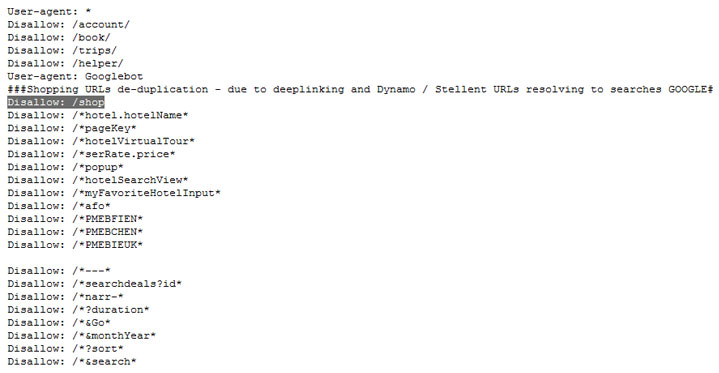
Before we get into it, what is robots.txt? Robots.txt is a file of instructions for your site that tells search engines like Google which parts of the site they may or may not access and then index. To reach your website and collect all of its information and keywords, a search engine sends out spiders to do the job. In web design, making it easy for spiders to reach the information on your site should be a priority. The easier it is for a spider to access information, the better your web design scores. One web design setting you need to watch is the robots.txt setting found on nearly every web hosting account.
Robots.txt Settings to Watch
 Ask your web design vendor to set up robots.txt correctly. The right settings let search engine spiders, like Google's, quickly index or register your website's links. The wrong settings will keep spiders out, so search engines like Google won't be able to find your website. That's a crucial part of web design, isn't it? If you work with a web design service, don't forget to check whether your site has a robots.txt file yet, because it matters when Google reads your website. Not every page of your website needs to be indexed by Google, and Google has its own rules for indexing. Your website must not have duplicate content, because that breaks the rules of Google's algorithm. To check for duplicate content on pages that are already indexed, go to Webmaster Tools and open Dashboard › Search Appearance › HTML Improvements. There you'll see where your website has duplicate content.