Business Email vs. Personal Email: Advantages and How to Set One Up
What are the main advantages of a business email address from your web design vendor over a personal Gmail or Yahoo account? Here's why it matters and how to create one.

webdesign-jakarta.com - During the web design process, you can also ask for a business email address on your own domain. For example, if your domain is bunga.com, you can ask for an address like [email protected] as part of the web design work. Unfortunately, many people still prefer to use a personal Yahoo or Google email address for business instead of the company address their web design vendor has set up for them. So what are the main advantages of a business email from your web design vendor over a personal email?
The first and biggest advantage is professionalism. An address like [email protected] looks far more professional than [email protected]. A business email from your web design vendor also makes it easy to keep personal and business email apart. That way, you won't get notifications from your personal Facebook or Twitter accounts in your business inbox. Opening [email protected] means opening mail about business.
Here's a clearer picture of what a business email looks like. You can create your own business email using your website's domain. Below are some tips and steps for creating one.
- Open your hosting link and log in.
- Choose the E-Mail Account menu, as shown in the image below.
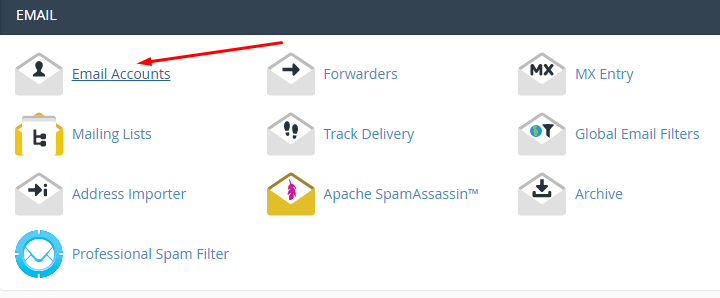
- Fill in the fields on that page:
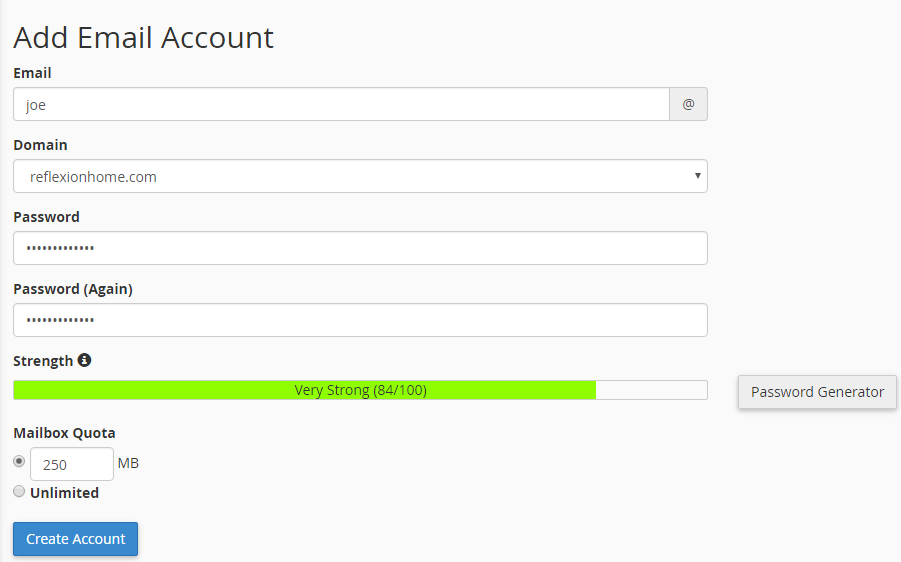
- E-mail: Enter your name so the address looks professional
- Password: We suggest a mix of letters, numbers, upper and lower case, and symbols (!@@#$%).
- Click the Create button.
- Below is the result of creating the email account above.

- To access the email account, use the More menu in the Email Accounts section (see the image above):
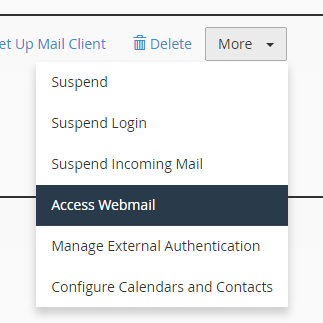
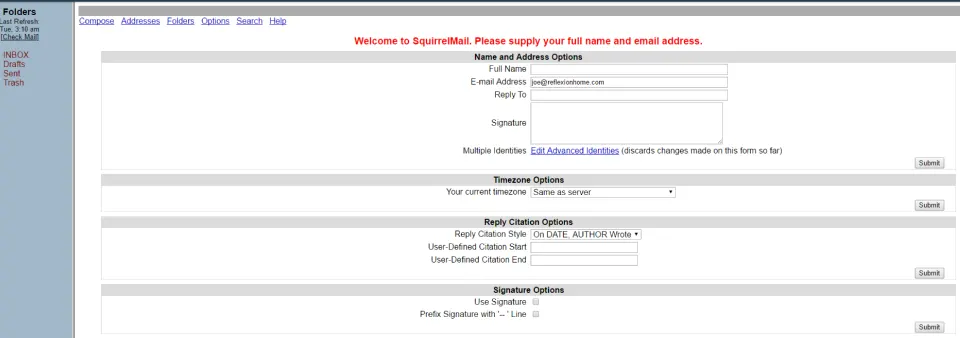
- Once you choose Access Webmail, you'll see an email interface much like the ones you already know from Gmail, Yahoo and others. To log in, just use the email address and password you created earlier.
Those are the steps for creating a business email, along with its advantages: it looks professional and builds customers' trust in the products you sell. Customers trust a business email address more, and that can help you sell more.